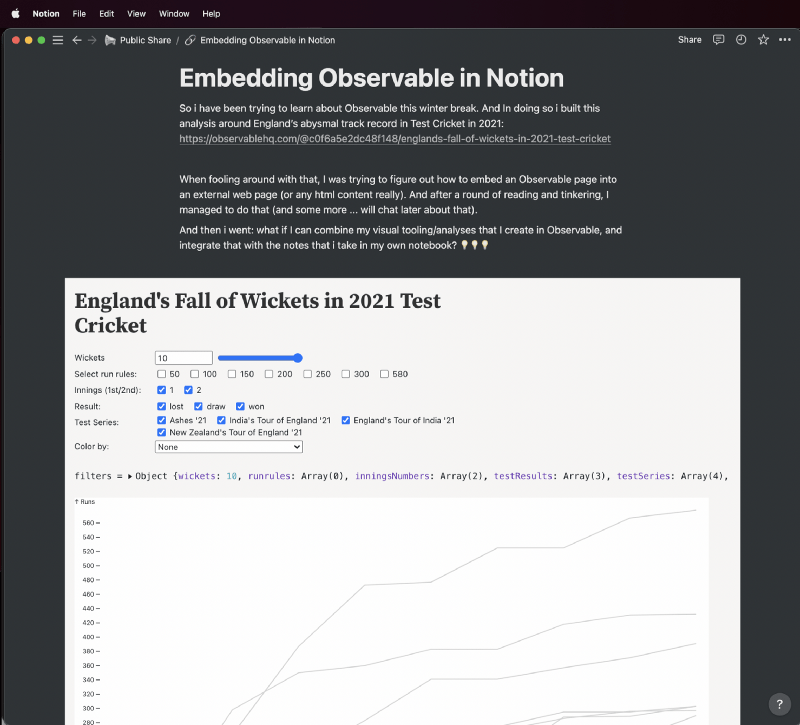
So I have been trying to learn about Observable🤩 this holiday break ❄️. And in doing so I built this analysis around England’s abysmal track record in Test Cricket in 2021: https://observablehq.com/@c0f6a5e2dc48f148/englands-fall-of-wickets-in-2021-test-cricket.
The analysis itself is not important at all.
But, when fooling around with that, I was trying to figure out how to embed an Observable page into an external web page (or any html content really). And after a round of reading and tinkering, I managed to do that (and some more … will chat about that in a different post).
💡 But then a thought hit me: “Notion can handle embeds.” (Notion is the note taking📝 app I use.)
💡💡 And then I went: “What if I can combine my visual tooling/analyses that I create in Observable, and just add it to the notes that i take in my own notebook?”
And it worked! (here is a publicly shared page from my Notion that is a demo of an Observable embed in Notion: https://curious-panda.notion.site/Embedding-Observable-in-Notion-d5fce1c628934bc79a75a14fdf712ead)
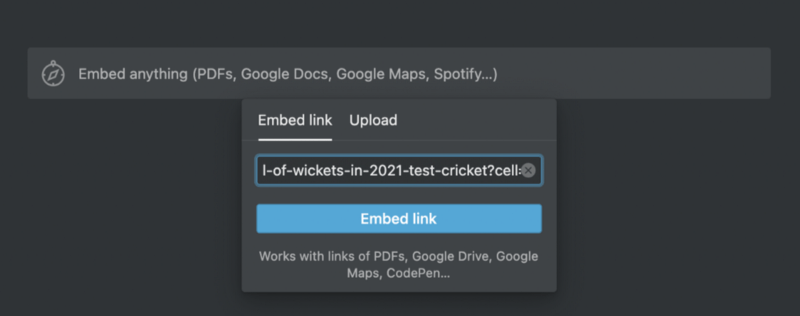
I recorded a quick demo of how to set it up:
The things you need to remember when setting this up:
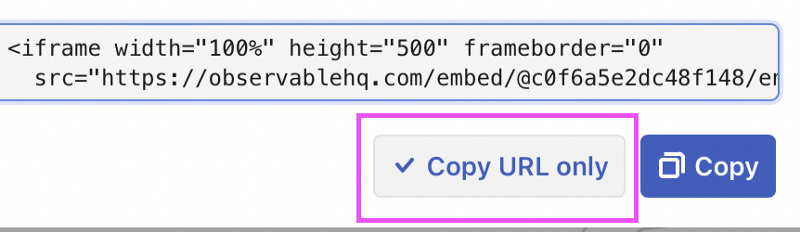
Use the “Copy URL only” button when creating an embed from an Observable notebook.
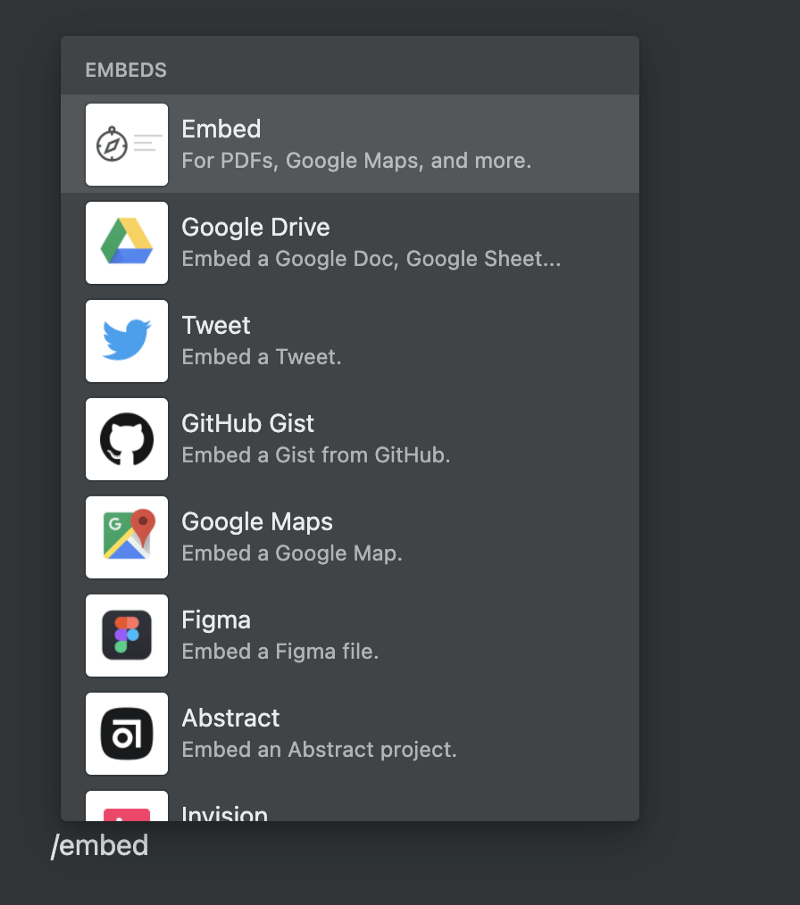
Use /embed in Notion, and paste the link that you get from Observable.
And presto!
Sure, you can add notes in your Observable notebook. In fact, I can see myself using Observable for note taking. But I already use Notion, and it seems terribly convenient that I can just mash my creations and notes together like this.
Adding interactive visualizations in your notes is such a cool thing! For me, the biggest upshot is that I can experiment with, or literally toggle different filters/controls, to see how the data is shaping out, and take notes, all from within my notes (!!!). No more context switching!
Hope you find this useful!
 Winter Rant
Leave a comment